
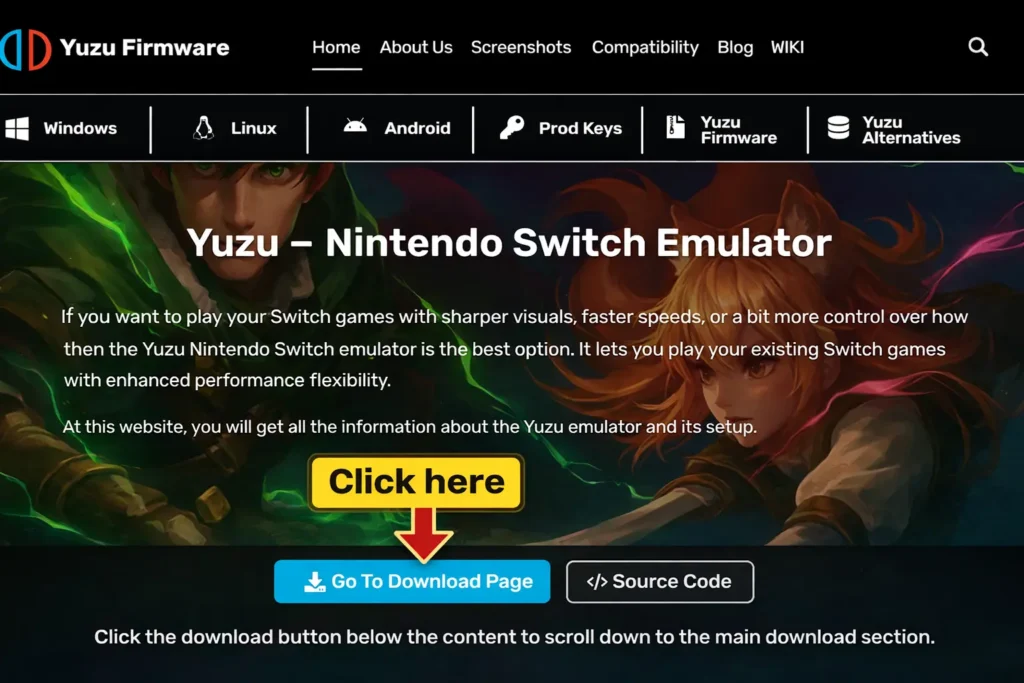
Yuzu – Nintendo Switch Emulator
Yuzu lets you play Nintendo Switch games on Windows, Linux, and Android devices. It’s become one of the most popular Switch emulators available. You get better graphics. Higher frame rates. The ability to play at 4K resolution. All while running your favorite Switch titles on hardware you already own.
But there’s a catch. Nintendo filed a lawsuit against the Yuzu developers in early 2024. The case settled for $2.4 million, and official development stopped. The project went dark. Here’s the thing: the emulator still works. The community continues supporting it. Forks and unofficial builds keep the software alive.
Table of Contents
ToggleWhat is Yuzu Emulator?
Yuzu is a free, open-source Nintendo Switch emulator that lets you play Switch games on Android, Windows, and Linux. Launched in 2018 and written in C++, it mimics the Switch’s hardware and software, allowing you to run games without owning the console.
The same team behind Citra (a Nintendo 3DS emulator) developed Yuzu. That experience shows that Yuzu handles complex Switch architecture better than most emulators on the market.
Here’s what makes Yuzu stand out:
- Cross-platform compatibility: Works on Android, PC, and Linux.
- Performance boosts: Higher frame rates and resolution than the original Switch.
- Modding support: Replace textures, tweak gameplay, and customize your experience.
- User-friendly interface: No technical expertise required to get started.
Yuzu runs digital versions of Switch games, typically saved in .XCI or .NSP formats. You’ll need legally obtained files, like prod keys, firmware, and ROMs, to make it work.
Key Features:
Modding & Customization
Modding support is one of Yuzu’s most powerful features. It installs:
- mods
- texture packs
- Cheats
- community tweaks
For instance, Pokémon randomizers & shiny mods, Zelda: BOTW HD texture packs, etc.
It also provides experimentation with ROM hacks without compromising your physical console.
Superior Performance & Yuzu FPS Boost
It plays demanding titles such as Zelda BOTW or Tears of the Kingdom at 60+ FPS. Dynamic resolution scaling adapts performance on its own. It also employs community mods to enable frame rates.
Its dynamic resolution scaling guarantees a stable frame rate, whereas mods for community-developed FPS unlockers are 30 to 60 or even 120 FPS gameplay. These are the main contributors to the emulator’s achievements in optimization of shaders and lower stuttering during play.
Advanced Controller Support
Yuzu supports:
- Xbox
- PlayStation
- Joy-Con
- Pro Controller
Provides complete button remapping and vibration. Motion control assistance (tilt/gyro) for games such as Mario Kart and Splatoon. For a full breakdown of compatible gamepads and button layouts, refer to the dedicated controller configuration guide. It also offers keyboard and mouse remapping for non-controller users.
Save States & Backup Options
Yuzu saves and loads games immediately and makes many save slots for each game. It also saves synchronization across devices, including PCs and mobiles. Moreover, the emulator reserves your Switch save data by making a backup.
Enhanced Graphics & Resolution Scaling
It plays Switch games natively in 1080p and upscales to 4K, 8K, or even ultrawide monitors. Adds filtering, anisotropic filtering, and anti-aliasing for seamless graphics.
It addresses the Switch’s native resolution limit (720p handheld, 1080p docked). Different emulators prioritize different strengths such as accuracy, compatibility, or performance, but Yuzu works seamlessly. When looking at how Yuzu stacks up against other options, the emulator comparisons reveals why Yuzu leads in graphical fidelity.
Multiplayer & Networking Options
Yuzu provides local wireless multiplayer and LAN play functionality, supporting local wireless emulation and LAN-style networking features in certain builds and for private matches.
Some builds support experimental online play through community servers.
Cross-Platform Support (PC + Android)
This project includes support for Windows, Linux, and Android versions. It is also optimized for Snapdragon 865+ devices. It has cloud save compatibility, which helps you to play games on PC as well as on mobile.
Flexible Configuration & Settings
It personalizes resolution scaling, texture cache, and V-Sync. The emulator also switches between OpenGL and Vulkan for maximum performance. The initial configuration is straightforward, but understanding the deeper settings becomes easier once you follow a structured setup guide for optimal results.
Strong Community Support
Yuzu possesses a huge active community on Reddit, Discord, and GitHub. It offers a constant supply of mods, compatibility solutions, and performance patches.
Forks such as Suyu provide continuous improvement after official termination.
Regular Update & Compatibility Fixes
Community-maintained forks continue development, regular updates, which bring new features and fix bugs. Users can also explore the latest Nintendo Switch titles in a timely manner. The patches are especially significant to the new Nintendo Switch games; they fix the bugs and offer optimization improvements.
Before jumping into a new game, it’s always a good idea to check its game compatibility status to see how it performs. Now, it can run games more smoothly than before, including:
- Super Smash Bros. Ultimate
- Xenoblade Chronicles 3
- Metroid Dread
Yuzu vs. Other Switch Emulators
| Feature | Yuzu | Ryujinx | Skyline (Android) | EggNS |
|---|---|---|---|---|
| Graphics | 4K/8K upscale | 4K upscale | Limited | Limited |
| Performance | High | Stable | Mid | Mid |
| Controller Support | Full (Xbox, PS, Joy-Con) | Full | Limited | Requires special controller |
| Modding | Extensive | Limited | No | No |
| Cross-Platform | PC + Android | PC only | Android only | Android only |
For a detailed comparisons, you can visit:
How Does Yuzu Emulator Work?
Understanding the technical side helps explain why some games run better than others.
Here’s the technical breakdown:
Hardware Emulation
The Nintendo Switch uses an ARM-based CPU and NVIDIA Tegra GPU. Your PC or Android device uses a different architecture (Intel/AMD for PCs, Qualcomm for Android).
Yuzu translates ARM instructions into a format your CPU understands. This process is called “dynamic recompilation” or “just-in-time compilation.” It’s complex, but Yuzu handles it efficiently.
Graphics Rendering
Yuzu uses your device’s graphics APIs (OpenGL or Vulkan) to render visuals. These APIs tell your GPU how to display game graphics, mimicking the Switch’s output.
Vulkan typically offers better performance than OpenGL, especially on modern hardware.
Software Emulation
Beyond hardware, Yuzu emulates the Switch’s operating system. This includes everything from game file management to save data handling.
You’ll need to provide:
- Prod keys: Encryption keys extracted from a real Switch console.
- Firmware files: The Switch’s system software.
- Game ROMs: Digital copies of Switch games in .XCI or .NSP format.
Without these files, Yuzu won’t run games. And here’s the important part: you must own the games legally. Downloading ROMs from the internet is piracy, which violates copyright law.
Why Use Yuzu Emulator?
| Feature | Nintendo Switch | Yuzu Emulator |
|---|---|---|
| Resolution | 720p–1080p | 4K–8K upscaling |
| Mods & Customization | No | Full modding support |
| Save Anywhere | Limited | Save/load at any moment |
| Controller Support | Joy-Con/Pro only | Xbox, PS, Joy-Con, Pro, Keyboard |
| Game Backups | Limited | Full Supports loading legally dumped game backups |
| Multiplayer | Online only | Local wireless + LAN play |
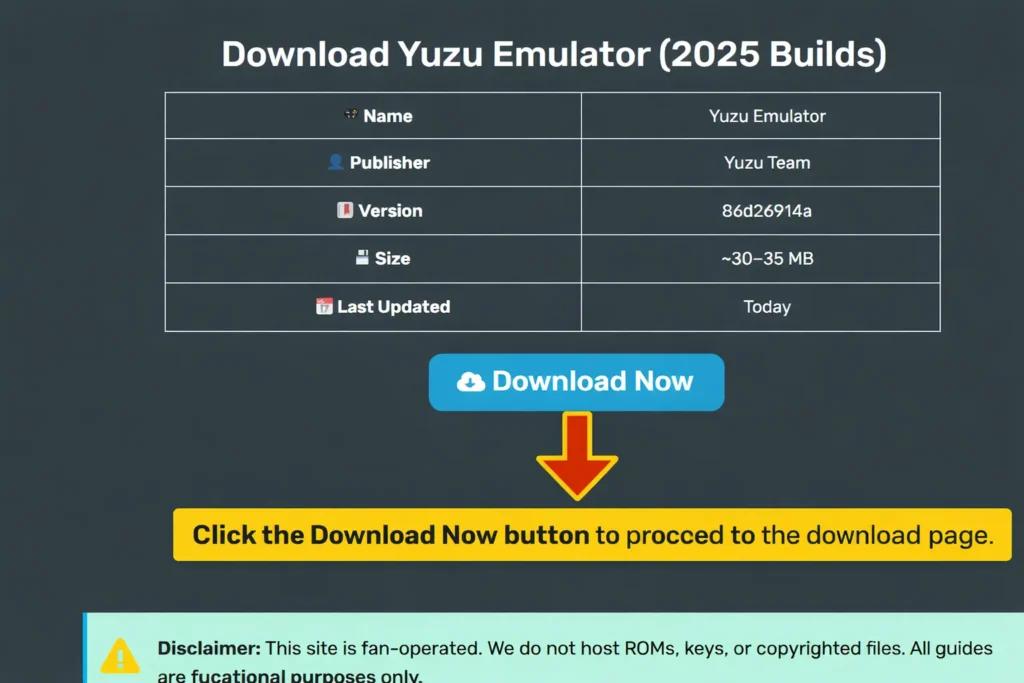
Download Yuzu Emulator
| Name | Yuzu Emulator |
| Publisher | Yuzu Team |
| Version | 86d26914a |
| Size | ~30–35 MB |
| Last Updated | Today |
Disclaimer: Yuzu is emulator software. Users must obtain firmware, encryption keys, and game backups from hardware and software they legally own. This website does not host ROMs, firmware files, encryption keys, or modified builds. All guides are for educational purposes only.
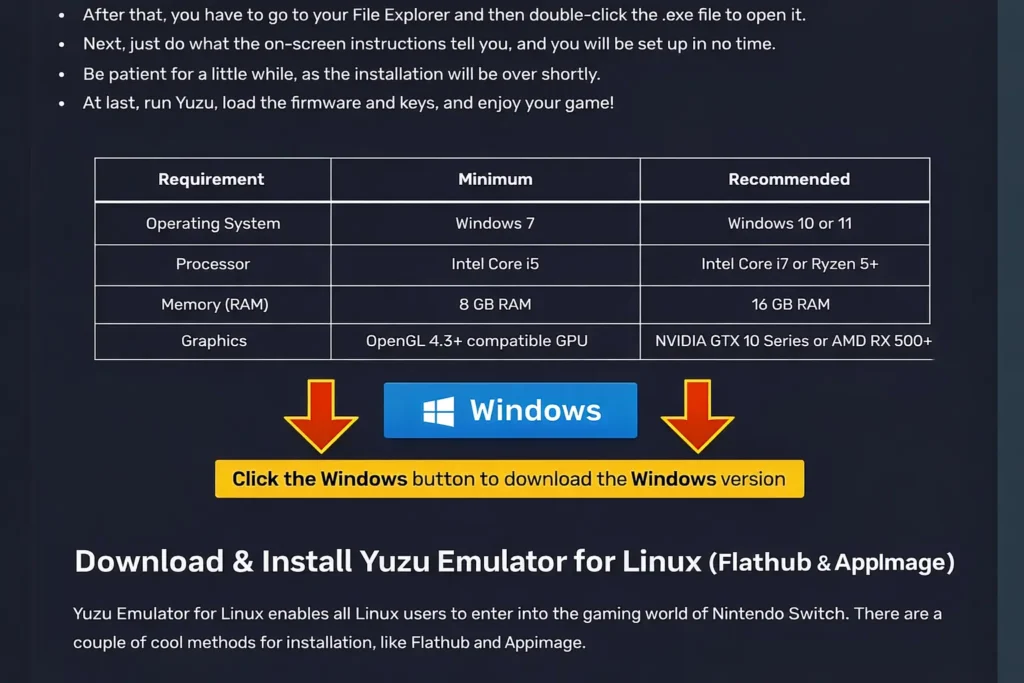
System Requirements for Yuzu Emulator
PC Requirements
| Component | Minimum | Recommended |
|---|---|---|
| CPU | Intel i5-4430 / Ryzen 3 1200 | Intel i7-8700 / Ryzen 5 3600 |
| GPU | NVIDIA GTX 1060 / AMD RX 470 | NVIDIA RTX 2060 / RX 5700 XT |
| RAM | 8 GB | 16 GB+ |
| OS | Windows 10 64-bit, Linux | Windows 11 64-bit |
If you’re building a system specifically for emulation, the PC setup page breaks down hardware choices in more detail.
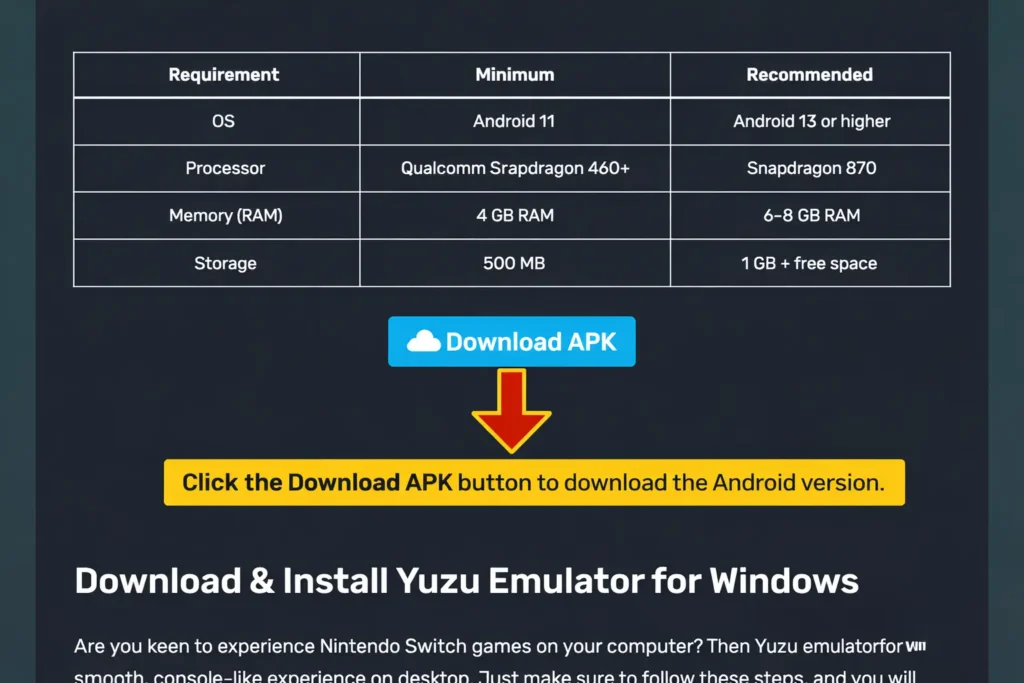
Android Requirements
| Component | Minimum | Recommended |
|---|---|---|
| CPU | Snapdragon 460 | Snapdragon 865+ |
| RAM | 8 GB | 16 GB |
| Android Version | 11+ | 12/13+ |
| API Support | OpenGL 4.6 | Vulkan 1.1+ |
How to Download & Install Yuzu Emulator for PC & Android
Install the Yuzu Nintendo Switch emulator for PC
- Download the Windows installer from the official site.
- Run the .exe file and complete installation.
- Launch Yuzu to accept the license agreement.
- Add your decryption keys (prod.keys and title.keys) which must be dumped from your personal Switch. If you haven’t obtained these yet, the prod keys guide explains the process step by step.
- Install the system firmware inside Yuzu, a critical step for booting games. You can find the correct files and installation steps on the firmware guide.
- Add your game directory (.XCI / .NSP).
- Configure controllers (Xbox, PlayStation, Joy-Cons, etc.).
- Adjust graphics to use Vulkan for best FPS.
Yuzu for Android Installation Guide
Installing Yuzu on Android is straightforward. Here’s the step-by-step process:
- Download the Yuzu APK
Since Yuzu is no longer officially available. For your safety, always download software from official or trusted sources to avoid the risk of malware or security issues. - Enable Installation from Unknown Sources
Go to Settings > Security > Unknown Sources and enable it. This lets you install apps from outside the Google Play Store. - Install the APK
Open the downloaded APK file and follow the on-screen instructions to install Yuzu. - Add Prod Keys and Firmware
You’ll need prod keys and firmware files to run games. These must be extracted from a real Switch console.
Copy these files to the correct folders in Yuzu’s directory. - Load Game ROMs
Add your .XCI or .NSP game files to Yuzu. The emulator will scan and display available games. - Configure Settings
Adjust graphics settings, controller mappings, and performance options to optimize your experience. - Start Playing
Select a game and hit play. Yuzu will load the game, and you’re ready to go.
Yuzu Setup Guide
When you complete installation, here’s how to head ahead; we provide you with a Yuzu setup guide:
- Firstly, you have to prod.keys & title.keys from your switch.
- Secondly, install Yuzu firmware, which is needed for boot.
- Thirdly, you have to set the game folder so Yuzu detects all titles.
- Then configure controllers such as Xbox, PS, and Joy-Con.
- Lastly, adjust graphics.
Also check How to Setup Yuzu Emulator for more information.
Optimizing Yuzu Performance Tips
In order to optimize Yuzu performance, you can adopt the following steps:
- Use the Vulkan API.
- Then enable shader cache to reduce stutter.
- Start with 1x resolution scaling, then upscale.
- Now, cap FPS to 60 for stability.
- At last, you have to overclock the Switch profile for power users.
Yuzu Support Top Nintendo Switch Games

Zelda: BOTW
Status: Playable
Note: mooth 60 FPS with mods

Mario Odyssey
Status: Playable
Note: Runs in 4K

Pokémon Sword
Status: Playable
Note: Minor shader stutter

Splatoon 2
Status: In-Progress
Note: Performance varies
Is Yuzu Emulator Legal?
Emulation itself isn’t illegal. You can legally use an emulator if:
- You own the game physically or digitally
- You extract game files from your own console
- You don’t distribute copyrighted material
Downloading ROMs from the internet is piracy, regardless of whether you own the game. Nintendo’s lawsuit targeted Yuzu because it made piracy easier, not because emulation is inherently illegal.
Important: This article is for informational purposes only. I’m not affiliated with Yuzu’s developers, and I don’t endorse piracy. Always respect copyright laws.
| Legal | Illegal |
|---|---|
| Downloading Yuzu | Downloading ROMs from websites |
| Dumping your own keys | Sharing keys publicly |
| Playing backups you own | Using pirated firmware |
Alternatives to Yuzu Emulator
Since the Yuzu shutdown (2024), here are the best Yuzu alternatives:

Suyu Emulator
Note: Active Yuzu fork, regular updates

Ryujinx
Note: Known for stability & game compatibility

Skyline
Note: Android-first Switch emulator (early stage)

EggNS
Note: Mobile emulator (requires specific controllers)
Troubleshooting – Common Yuzu Errors & Fixes
| Issue | Fix |
|---|---|
| Black screen | Reinstall firmware & keys |
| Game crashes | Lower resolution, update GPU drivers |
| Stuttering | Enable shader cache + Vulkan |
| Controller not detected | Re-map inputs in config |
If you run into issues not listed here, the error codes page covers specific error messages and their solutions.
What Happened to Yuzu? (Nintendo Lawsuit 2024)
Yuzu’s story took a dark turn in March 2024.
Nintendo of America filed a lawsuit against Tropic Haze LLC, the company behind Yuzu. The lawsuit accused the developers of facilitating piracy by enabling users to play Switch games without owning the console or games.
Here’s what happened:
The Lawsuit
Nintendo argued that Yuzu’s primary purpose was to circumvent the Switch’s encryption and enable piracy. They claimed the emulator allowed users to download and play pirated games.
The lawsuit sought damages and an injunction to shut down Yuzu permanently.
The Settlement
Tropic Haze LLC settled out of court. They agreed to:
- Pay Nintendo $2.4 million in damages
- Cease all development and distribution of Yuzu
- Take down the official website and repositories
The settlement effectively killed Yuzu’s official development.
Frequently Asked Questions (FAQs) – Yuzu Emulator:
Is Yuzu still working in 2026?
Yes! There are unofficial builds and forks like Suyu which are still active.
Can I use Yuzu on iOS?
No, Yuzu supports only Windows, Linux, and Android.
Can I play online multiplayer?
Only through local wireless or LAN. Nintendo online services are not supported.
What games run best on Yuzu?
Zelda BOTW, Mario Odyssey, Pokémon Sword/Shield, Animal Crossing.
Is the Yuzu Emulator safe to use?
Yes, Yuzu is highly secure. Just make sure to always download it from a safe source and avoid third-party sites where, without your knowledge, photoshopped or tampered-with versions may pop up.
Do I need firmware and keys to play games?
Yes! You have to provide Prod.keys, title.keys, and firmware files to run a nonsign payload on your Nintendo Switch.
Does Yuzu support 60 FPS gameplay?
Yes, many of the games allow you to achieve 60 FPS or beyond with performance mods and proper setup.
What are the steps for installing game updates or DLC?
- Updating and downloading content is not a difficult task. To do it, in the upper left corner of the emulator window, click on File / Install Files to NAND, and next click on the file that you want to install.
- The files will load automatically after installation, and the update or DLC will appear in the add-ons column.
What is the procedure to uninstall game updates or DLC?
To uninstall game updates or DLCs, right-click on your game title and choose the Remove option. After that, from the options provided, you can select to delete/uninstall your game updates and DLCs.
Does Yuzu shut down during game launching?
If you are facing a problem with launching games and have Nod32 ESET Antivirus on your computer. Then, please remove it and restart. Or, give yuzu an exemption in the HIPS exclusions. It has been reported that the antivirus software is causing problems with emulators recently.
What should I do to add a save to my game?
In order to save your progress, just right-click on your game in the Games List, then choose Open Save Data Location, and finally pick your user from the Profile Selector.
After you have opened the Save Data Location, move your corresponding game save into the folder that has been shown to you.
Is the Yuzu emulator free?
Yuzu is a completely open-source project. Hence, the emulator is free for both downloading and usage. The only exception was Yuzu Early Access, which charged a fee and allowed you to preview unreleased features prior to the public release.
Pros and Cons of Yuzu Emulator
Pros of Yuzu Emulator
- It’s Free: You don’t pay a dime to use Yuzu. For gamers on a budget, this is a huge plus.
- Better Graphics: Playing Switch games at 4K resolution with enhanced textures is a game-changer. The visual upgrade is noticeable, especially on older titles.
- Modding Support: The ability to mod games adds replayability. You can customize your experience in ways the original Switch can’t match.
- Wide Controller Compatibility: Whether you’re using an Xbox controller or a keyboard, Yuzu supports it. This flexibility is great for PC gamers.
Cons of Yuzu Emulator
- No More Updates: With official development dead, Yuzu won’t support new games or fix bugs. This limits its long-term usefulness.
- Legal Risks: Using Yuzu puts you in a grey area legally. If you’re not careful about where you get your ROMs, you could face legal consequences.
- Performance Issues: Not all games run smoothly. Some titles have graphical glitches, frame drops, or crashes.
- Complex Setup: For non-technical users, extracting prod keys and firmware can be confusing. The learning curve is steep.
Final Thoughts
Yuzu Emulator changed the game for Nintendo Switch fans. It offered a way to play Switch titles on PC and Android with better graphics, modding support, and no need for expensive hardware. But the 2024 lawsuit shut it down for good. Nintendo’s $2.4 million settlement sent a clear message: they won’t tolerate emulators that enable piracy.
If you installed Yuzu before the shutdown, it still works. Just remember, emulation is legal only if you own the games and extract files yourself. Piracy isn’t worth the risk. For now, Yuzu remains a piece of gaming history. It proved that open-source emulation could rival official hardware, even if the legal system had other ideas.
Find Help & Support
Access quick solutions, expert tips, and reliable support through our Yuzu community and comprehensive documentation.
About Author

Discord Community Help
Our Yuzu community is active around the clock, providing real-time help, tips, and troubleshooting support.
GitHub Repository
Access the official source code, track development progress, and explore updates from the Yuzu project.
Yuzu Development Project
The Yuzu development team continuously improves features, performance, and game compatibility.
Community Forum
Join the discussion to get help, share solutions, and learn tips from other Yuzu users.