
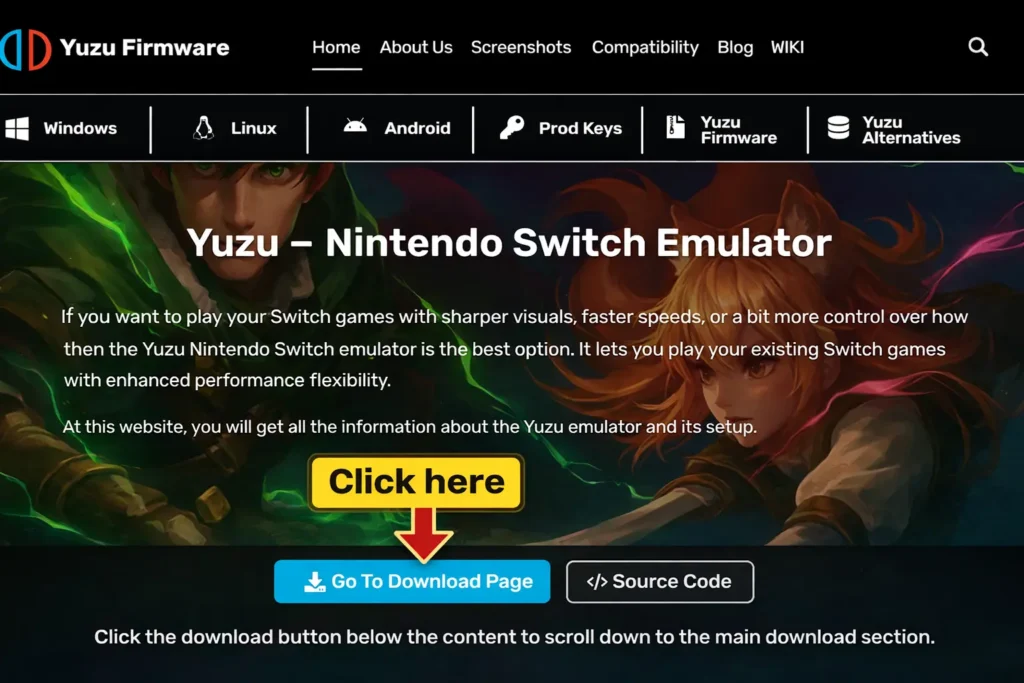
Yuzu – Nintendo Switch Emulator
If you want to play your Switch games with sharper visuals, faster speeds, or a bit more control over how everything runs, then the Yuzu Nintendo Switch emulator is the best option. It lets you play your existing Switch games with enhanced performance and flexibility.
At this website, you will get all the information about the emulator and its setup.
Table of Contents
ToggleWhat is Yuzu Emulator?
Yuzu is an open-source Nintendo Switch emulator developed initially by the same group that created Citra (3DS Emulator). Since it first launched in 2018, Yuzu became one of the most widely used Switch emulators during its active development period because of its performance, stability, and list of features.
- Core language: C++ for performance and portability
- Supported platforms: Actively maintained for Windows, with dedicated builds for Linux and an expanding Android version for mobile gaming.
- Not officially maintained: This emulator software was closed following a lawsuit by Nintendo in 2024, but the ecosystem lives on through active forks that continue the development work.
Key Features:
Modding & Customization
Modding support is one of Yuzu’s most powerful features. It installs:
- mods
- texture packs
- Cheats
- community tweaks
For instance, Pokémon randomizers & shiny mods, Zelda: BOTW HD texture packs, etc.
It also provides experimentation with ROM hacks without compromising your physical console.
Superior Performance & Yuzu FPS Boost
It plays demanding titles such as Zelda BOTW or Tears of the Kingdom at 60+ FPS. Dynamic resolution scaling adapts performance on its own. It also employs community mods to enable frame rates.
Its dynamic resolution scaling guarantees a stable frame rate, whereas mods for community-developed FPS unlockers are 30 to 60 or even 120 FPS gameplay. These are the main contributors to the emulator’s achievements in optimization of shaders and lower stuttering during play.
Advanced Controller Support
Yuzu supports:
- Xbox
- PlayStation
- Joy-Con
- Pro Controller
Provides complete button remapping and vibration. Motion control assistance (tilt/gyro) for games such as Mario Kart and Splatoon. For a full breakdown of compatible gamepads and button layouts, refer to the dedicated controller configuration guide. It also offers keyboard and mouse remapping for non-controller users.
Save States & Backup Options
Yuzu saves and loads games immediately and makes many save slots for each game. It also saves synchronization across devices, including PCs and mobiles. Moreover, the emulator reserves your Switch save data by making a backup.
Enhanced Graphics & Resolution Scaling
It plays Switch games natively in 1080p and upscales to 4K, 8K, or even ultrawide monitors. Adds filtering, anisotropic filtering, and anti-aliasing for seamless graphics.
It addresses the Switch’s native resolution limit (720p handheld, 1080p docked). Different emulators prioritize different strengths such as accuracy, compatibility, or performance, but Yuzu works seamlessly. When looking at how Yuzu stacks up against other options, the emulator comparisons reveals why Yuzu leads in graphical fidelity.
Multiplayer & Networking Options
Yuzu provides local wireless multiplayer and LAN play functionality, supporting local wireless emulation and LAN-style networking features in certain builds and for private matches.
Some builds support experimental online play through community servers.
Cross-Platform Support (PC + Android)
This project includes support for Windows, Linux, and Android versions. It is also optimized for Snapdragon 865+ devices. It has cloud save compatibility, which helps you to play games on PC as well as on mobile.
Flexible Configuration & Settings
It personalizes resolution scaling, texture cache, and V-Sync. The emulator also switches between OpenGL and Vulkan for maximum performance. The initial configuration is straightforward, but understanding the deeper settings becomes easier once you follow a structured setup guide for optimal results.
Strong Community Support
Yuzu possesses a huge active community on Reddit, Discord, and GitHub. It offers a constant supply of mods, compatibility solutions, and performance patches.
Forks such as Suyu provide continuous improvement after official termination.
Regular Update & Compatibility Fixes
Community-maintained forks continue development, regular updates, which bring new features and fix bugs. Users can also explore the latest Nintendo Switch titles in a timely manner. The patches are especially significant to the new Nintendo Switch games; they fix the bugs and offer optimization improvements.
Before jumping into a new game, it’s always a good idea to check its game compatibility status to see how it performs. Now, it can run games more smoothly than before, including:
- Super Smash Bros. Ultimate
- Xenoblade Chronicles 3
- Metroid Dread
Yuzu vs. Other Switch Emulators
| Feature | Yuzu (2026) | Ryujinx | Skyline (Android) | EggNS |
|---|---|---|---|---|
| Graphics | 4K/8K upscale | 4K upscale | Limited | Limited |
| Performance | High | Stable | Mid | Mid |
| Controller Support | Full (Xbox, PS, Joy-Con) | Full | Limited | Requires special controller |
| Modding | Extensive | Limited | No | No |
| Cross-Platform | PC + Android | PC only | Android only | Android only |
How Does Yuzu Emulator Work?
The Yuzu emulator allows users to play Nintendo Switch games on a PC or mobile device, thus making it possible to enjoy the console’s top titles on any platform. The NVIDIA Tegra processor, which is the best for gaming, was used to design the Nintendo Switch.
To put it simply, this project works due to the recreated functionality of the real Nintendo Switch. In other words, the console games are made for the particular hardware, so they cannot be played directly on a mobile phone or computer. Therefore, the emulator acts like Switch hardware and recreates the function of Switch components to trick the game. These components include the CPU (processor), GPU (graphics card), and memory.
The Nintendo Switch utilizes ARM-based Tegra hardware, while PCs and smartphones utilize x86 (Intel/AMD) or Snapdragon chips. Yuzu performs the translation of the game’s ARM-based instructions into a format your device’s processor can comprehend in real time.
Yuzu serves as an interpreter:
It interrupts the game’s code (compiled for Switch hardware). Translate it on the fly into instructions your PC/Android can execute. It also utilizes APIs such as Vulkan & OpenGL to emulate the Switch’s graphics.
Why Use Yuzu Emulator in 2026?
| Feature | Nintendo Switch | Yuzu Emulator |
|---|---|---|
| Resolution | 720p–1080p | 4K–8K upscaling |
| Mods & Customization | No | Full modding support |
| Save Anywhere | Limited | Save/load at any moment |
| Controller Support | Joy-Con/Pro only | Xbox, PS, Joy-Con, Pro, Keyboard |
| Game Backups | Limited | Full Supports loading legally dumped game backups |
| Multiplayer | Online only | Local wireless + LAN play |
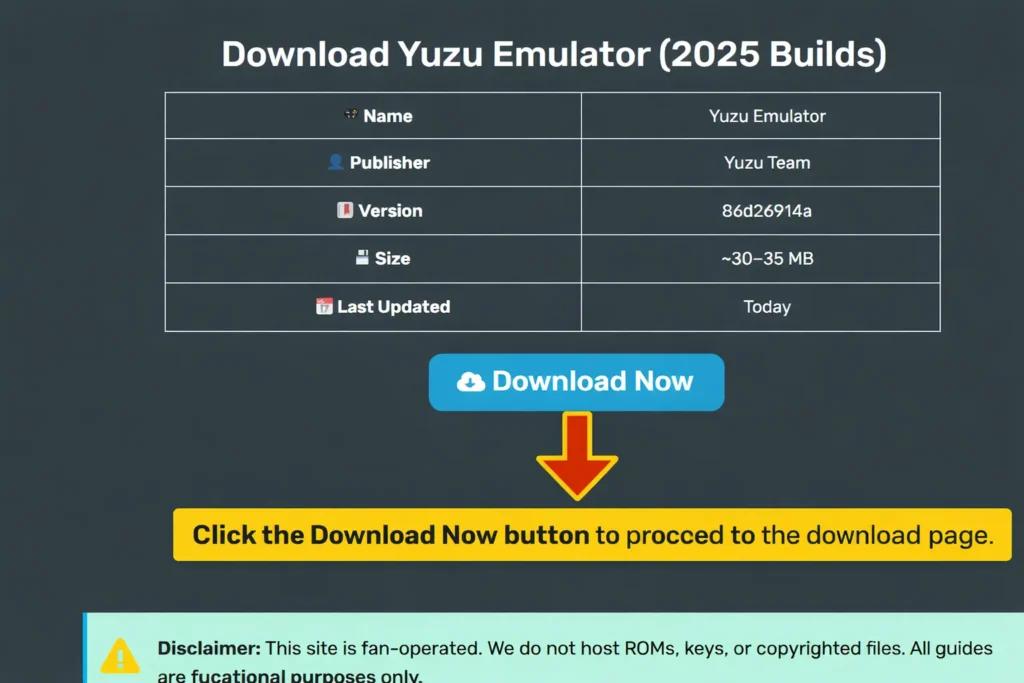
Download Yuzu Emulator (2026 Builds)
| Name | Yuzu Emulator |
| Publisher | Yuzu Team |
| Version | 86d26914a |
| Size | ~30–35 MB |
| Last Updated | Today |
Disclaimer: Yuzu is emulator software. Users must obtain firmware, encryption keys, and game backups from hardware and software they legally own. This website does not host ROMs, firmware files, encryption keys, or modified builds. All guides are for educational purposes only.
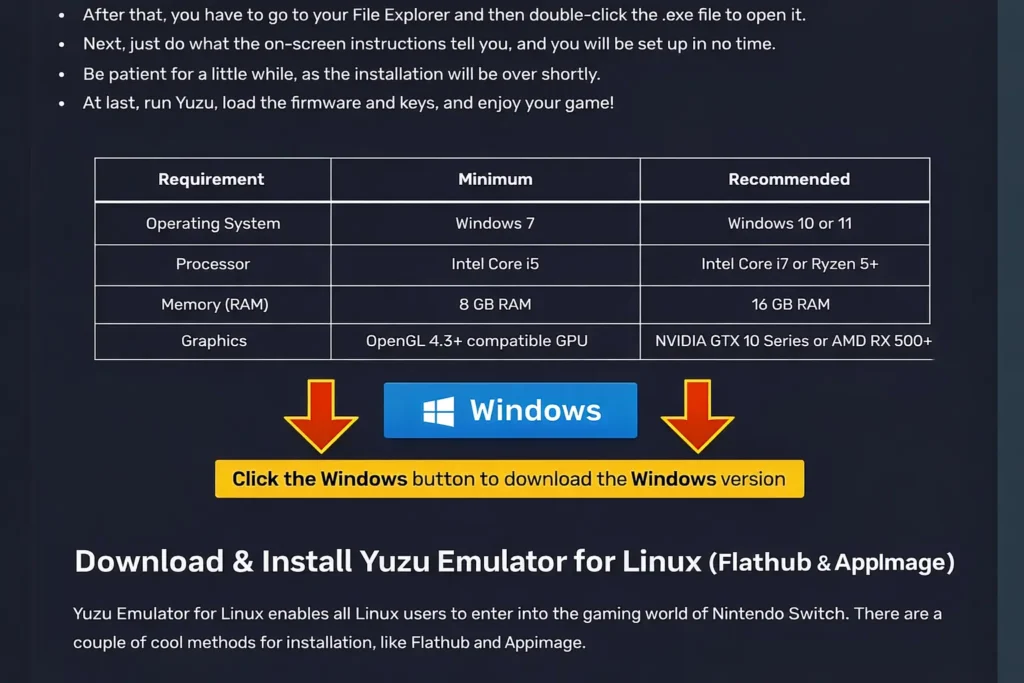
System Requirements for Yuzu Emulator
PC Requirements
| Component | Minimum | Recommended |
|---|---|---|
| CPU | Intel i5-4430 / Ryzen 3 1200 | Intel i7-8700 / Ryzen 5 3600 |
| GPU | NVIDIA GTX 1060 / AMD RX 470 | NVIDIA RTX 2060 / RX 5700 XT |
| RAM | 8 GB | 16 GB+ |
| OS | Windows 10 64-bit, Linux | Windows 11 64-bit |
If you’re building a system specifically for emulation, the PC setup page breaks down hardware choices in more detail.
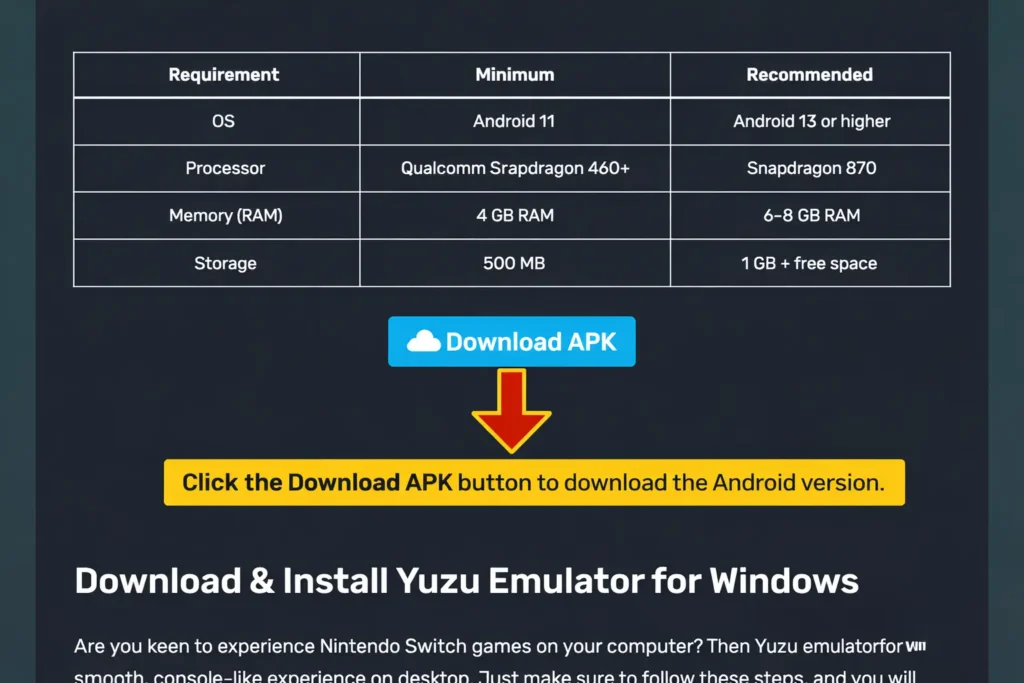
Android Requirements
| Component | Minimum | Recommended |
|---|---|---|
| CPU | Snapdragon 460 | Snapdragon 865+ |
| RAM | 8 GB | 16 GB |
| Android Version | 11+ | 12/13+ |
| API Support | OpenGL 4.6 | Vulkan 1.1+ |
How to Download & Install Yuzu Emulator for PC & Android
Install the Yuzu Nintendo Switch emulator for PC
- Download the Windows installer from the official site.
- Run the .exe file and complete installation.
- Launch Yuzu to accept the license agreement.
- Add your decryption keys (prod.keys and title.keys) which must be dumped from your personal Switch. If you haven’t obtained these yet, the prod keys guide explains the process step by step.
- Install the system firmware inside Yuzu, a critical step for booting games. You can find the correct files and installation steps on the firmware page.
- Add your game directory (.XCI / .NSP).
- Configure controllers (Xbox, PlayStation, Joy-Cons, etc.).
- Adjust graphics to use Vulkan for best FPS.
Yuzu for Android Installation Guide
- Download the latest Yuzu for Android.
- Enable “Install from Unknown Sources.”
- Install the application and launch.
- Copy prod.keys + firmware into
/yuzu/keys/. - Add legally owned game dumps.
Yuzu Setup Guide 2026
When you complete installation, here’s how to head ahead; we provide you with a Yuzu setup guide:
- Firstly, you have to prod.keys & title.keys from your switch.
- Secondly, install Yuzu firmware, which is needed for boot.
- Thirdly, you have to set the game folder so Yuzu detects all titles.
- Then configure controllers such as Xbox, PS, and Joy-Con.
- Lastly, adjust graphics.
Also check How to Setup Yuzu Emulator for more information.
Optimizing Yuzu Performance Tips
In order to optimize Yuzu performance, you can adopt the following steps:
- Use the Vulkan API.
- Then enable shader cache to reduce stutter.
- Start with 1x resolution scaling, then upscale.
- Now, cap FPS to 60 for stability.
- At last, you have to overclock the Switch profile for power users.
Yuzu Support Top Nintendo Switch Games

Zelda: BOTW
Status: Playable
Note: mooth 60 FPS with mods

Mario Odyssey
Status: Playable
Note: Runs in 4K

Pokémon Sword
Status: Playable
Note: Minor shader stutter

Splatoon 2
Status: In-Progress
Note: Performance varies
Is Yuzu Emulator Legal?
Emulator software itself is legal in many jurisdictions. However, downloading copyrighted games or sharing encryption keys is illegal.
| Legal | Illegal |
|---|---|
| Downloading Yuzu | Downloading ROMs from websites |
| Dumping your own keys | Sharing keys publicly |
| Playing backups you own | Using pirated firmware |
Alternatives to Yuzu Emulator (2026 Edition)
Since the Yuzu shutdown (2024), here are the best Yuzu alternatives:

Suyu Emulator
Note: Active Yuzu fork, regular updates

Ryujinx
Note: Known for stability & game compatibility

Skyline
Note: Android-first Switch emulator (early stage)

EggNS
Note: Mobile emulator (requires specific controllers)
Troubleshooting – Common Yuzu Errors & Fixes
| Issue | Fix |
|---|---|
| Black screen | Reinstall firmware & keys |
| Game crashes | Lower resolution, update GPU drivers |
| Stuttering | Enable shader cache + Vulkan |
| Controller not detected | Re-map inputs in config |
If you run into issues not listed here, the error codes page covers specific error messages and their solutions.
What Happened to Yuzu? (Nintendo Lawsuit 2024)
In March 2024, Nintendo of America filed a lawsuit against Tropic Haze LLC, the creator of the Yuzu Emulator. The company accused Yuzu of being a piracy tool since it let players use Switch games without buying the console or the games. The issue was that over a million illegal downloads of The Legend of Zelda: Tears of the Kingdom were enjoyed prior to the official release, which didn’t pass unnoticed.
Legal Outcome:
- Settlement: $2.4 million
- Yuzu official closure (assets rolled over to Nintendo)
- Community forks such as Suyu sustain Yuzu.
Although the formal Yuzu development stopped, the forks are still working and making the emulator better, and that means Switch emulation will be alive and available in 2026.
You can only emulate a game if you own it (physically or digitally) or have permission from the copyright holder. To be on the safe side, always get your ROMs from the copyright authors.
This is not an official Yuzu site. Our aim is just to inform and educate. We do not have any relationship with the developer of Yuzu and are not engaged in the development of such files. Our information strictly refers to publicly available information already accessible on the internet.
Frequently Asked Questions (FAQs) – Yuzu Emulator (2026):
Is Yuzu still working in 2026?
Yes! There are unofficial builds and forks like Suyu which are still active.
Can I use Yuzu on iOS?
No, Yuzu supports only Windows, Linux, and Android.
Can I play online multiplayer?
Only through local wireless or LAN. Nintendo online services are not supported.
What games run best on Yuzu?
Zelda BOTW, Mario Odyssey, Pokémon Sword/Shield, Animal Crossing.
Is the Yuzu Emulator safe to use?
Yes, Yuzu is highly secure. Just make sure to always download it from a safe source and avoid third-party sites where, without your knowledge, photoshopped or tampered-with versions may pop up.
Do I need firmware and keys to play games?
Yes! You have to provide Prod.keys, title.keys, and firmware files to run a nonsign payload on your Nintendo Switch.
Does Yuzu support 60 FPS gameplay?
Yes, many of the games allow you to achieve 60 FPS or beyond with performance mods and proper setup.
What are the steps for installing game updates or DLC?
- Updating and downloading content is not a difficult task. To do it, in the upper left corner of the emulator window, click on File / Install Files to NAND, and next click on the file that you want to install.
- The files will load automatically after installation, and the update or DLC will appear in the add-ons column.
What is the procedure to uninstall game updates or DLC?
To uninstall game updates or DLCs, right-click on your game title and choose the Remove option. After that, from the options provided, you can select to delete/uninstall your game updates and DLCs.
Does Yuzu shut down during game launching?
If you are facing a problem with launching games and have Nod32 ESET Antivirus on your computer. Then, please remove it and restart. Or, give yuzu an exemption in the HIPS exclusions. It has been reported that the antivirus software is causing problems with emulators recently.
What should I do to add a save to my game?
In order to save your progress, just right-click on your game in the Games List, then choose Open Save Data Location, and finally pick your user from the Profile Selector.
After you have opened the Save Data Location, move your corresponding game save into the folder that has been shown to you.
Is the Yuzu emulator free?
Yuzu is a completely open-source project. Hence, the emulator is free for both downloading and usage. The only exception was Yuzu Early Access, which charged a fee and allowed you to preview unreleased features prior to the public release.
Pros and Cons of Yuzu Emulator
Pros of Yuzu Emulator
- Free and Open-Source: Yuzu is fully free to use and open-source, which is a great advantage to developers and the community, as it is an ever-improving project.
- High Compatibility: Yuzu is capable of playing many Nintendo Switch games, major ones included, such as The Legend of Zelda: Breath of the Wild, Pokémon Sword and Shield, Super Mario Odyssey, and Animal Crossing: New Horizons.
- Enhanced Graphics and Performance: You are capable of gaming in 4K resolution with better textures and antialiasing effects. The utilizations of Vulkan and OpenGL rendering make performance smoother on high-end machines.
Cons of Yuzu Emulator
- Requires Strong Hardware: It’s necessary for smooth gameplay to have a powerful CPU and GPU, mainly for hardcore games such as Breath of the Wild or Metroid Dread.
- Complicated Setup for Beginners: Firmware and Prod Keys Setup can be confusing for beginners. You may easily encounter problems such as “Encryption keys are missing” or “Game couldn’t start because of a crash” if the settings are not done correctly.
- High Storage and RAM Usage: Large-sized games and shader caches can occupy tens of gigabytes, which would mandate having 16 GB or more of RAM for peak performance.
Final Thoughts
Yuzu Emulator is still the one of the most widely used for both PC and Android in 2026, despite official development being stopped. Due to the fact that it is open-source and has an active community, Yuzu (and forks such as Suyu) still offers an unbeatable emulation experience.
From playing Zelda: Breath of the Wild at 4K, Pokémon Sword/Shield with mods, or enjoying Mario adventures with the smoother FPS, Yuzu and its forks provide additional configuration flexibility compared to original hardware, though performance and stability depend on system specifications.